A native API client built for humans and agents.
Work with HTTP, GraphQL, and WebSocket APIs. Built with Rust and GPUI. Local-first, with a CLI for automation and collections stored in files you own.
- 265 ms startup*
- ~100 MB RAM
- No account
- No telemetry
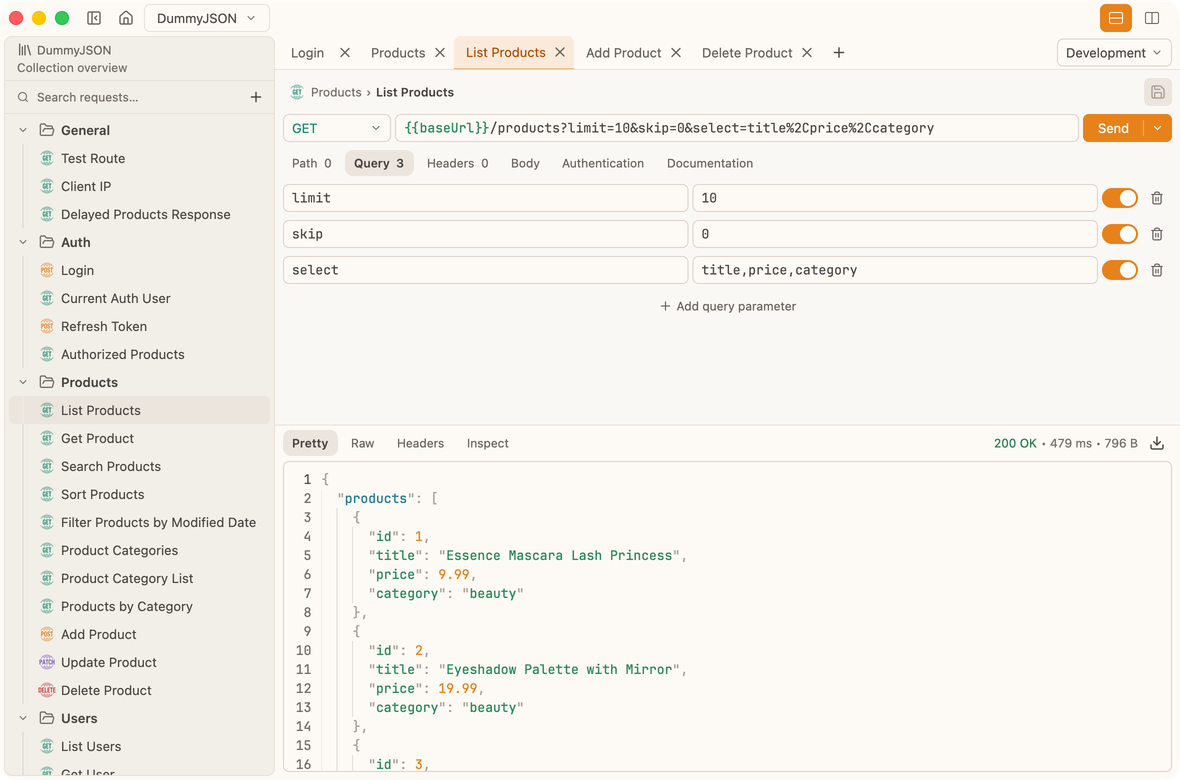
Native performance
Open quickly.
Restore an empty session in 265 ms, a 1,000-request collection in 296 ms, or 10,000 requests in 538 ms on our test Mac.
- First frameEmpty session
- 179 ms
- Empty session restoredReady at the restored frame
- 265 ms
- 1,000-request session restoredFirst request tab restored
- 296 ms
- 10,000-request session restoredFirst request tab restored
- 538 ms
*Median of 30 launches after 3 warmups. Release build on Apple M4, 16 GB RAM, macOS 26.7.1; warm OS caches. Rounded to the nearest millisecond. Results vary by hardware.
View benchmark methodology
Measured on 16 October 2026 with rustc 1.97.1, using Probe revision 687a3bdd. Each launch used a temporary session and response cache. Collection scenarios used generated bundled fixtures and restored the first request tab.
Times run from process creation until the runner receives a GPUI frame marker, including executable loading and marker delivery. First frame follows the initial rendered view; session restored follows a frame with the collection, selected tab, and pending tab reveal restored. These are frame milestones, not physical display measurements. Background maintenance and all syntax highlighting need not be complete.
| Session | First frame median | Restored median | Restored p90 |
|---|---|---|---|
| Empty | 179.32 | 264.87 | 276.76 |
| 100 requests | 180.82 | 278.19 | 291.64 |
| 1,000 requests | 177.96 | 295.68 | 306.81 |
| 10,000 requests | 183.16 | 538.01 | 554.96 |
These repeated launches measure warm OS caches, not the first launch after reboot. Theme and display refresh rate were not recorded. Results are a local macOS reference, not a speed guarantee for every machine or platform.
Desktop + CLI
Built for humans.
Ready for automation.
Build and test requests in the desktop app, then run them from the CLI. Deterministic output makes it easy to use the same collections in scripts, CI pipelines, automated tests, and AI agent workflows.
$ probe request run examples/dummyjson.yml items/7/items/1 \
  --environment Development --var todoId=3 --json
Example output · headers abbreviated
{
  "request": {
    "type": "http",
    "graphql": null,
    "method": "GET",
    "url": "https://dummyjson.com/todos/:todoId"
  },
  "response": {
    "body": {
      "content": "{\"id\":3,\"todo\":\"Watch a classic movie\",\"completed\":true,\"userId\":68}",
      "encoding": "utf8",
      "omissionReason": null,
      "omitted": false,
      "outputPath": null
    },
    "durationMs": 805,
    "headers": [
      {
        "name": "content-length",
        "value": "68"
      },
      {
        "name": "content-type",
        "value": "application/json; charset=utf-8"
      }
    ],
    "reason": "OK",
    "sizeBytes": 68,
    "status": 200,
    "url": "https://dummyjson.com/todos/3"
  },
  "schemaVersion": 1
}info: name: List users type: http http: method: GET url: {{baseUrl}}/users headers: - name: Authorization value: Bearer {{token}}
Local-first
Your collections are just files.
No account. No cloud workspace. No telemetry. Collections stay on your filesystem, where they are easy to edit, diff, and commit to Git.
Probe stores collections using OpenCollection YAML—a human-readable format that works naturally with editors and Git.
Learn about OpenCollectionEnvironment variables
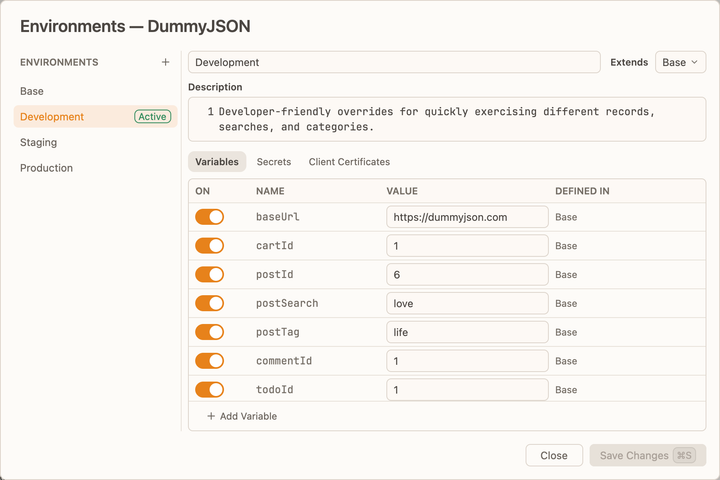
Define it once. Override only what changes.
Keep shared values in a base environment, then let development, staging, and production extend it. Each environment inherits the defaults and overrides only the values it needs.
OpenCollection’s extends feature keeps shared configuration in one place.
OpenCollection documentation
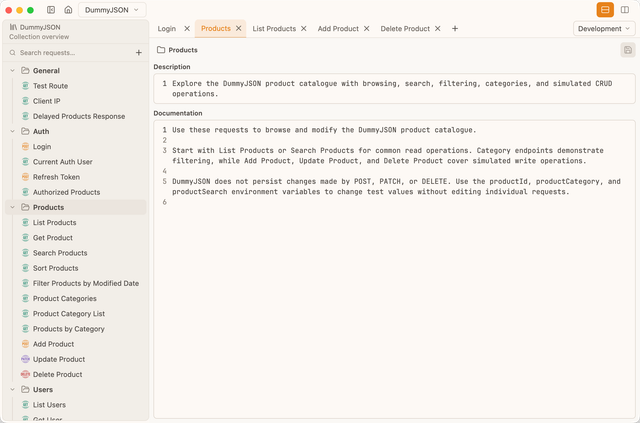
Docs that live with your API.
Document collections, folders, and individual requests directly in Probe. Your docs are stored in your OpenCollection files, so they stay with your requests and are versioned alongside them in Git.
- CollectionSummary + documentation
- FolderDescription + documentation
- RequestDescription + documentation
Secure storage
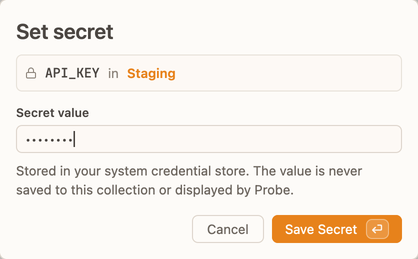
Secrets stay where they belong.
Probe stores API keys, tokens, and other secrets in your operating system's native credential store, keeping them local to your machine and out of your OpenCollection files.
- macOSKeychain Services
- WindowsCredential Manager
- LinuxSecret Service
If secure storage isn't available, Probe won't silently fall back to storing secrets in plaintext.
Bring your collections
Switch clients, not workflows.
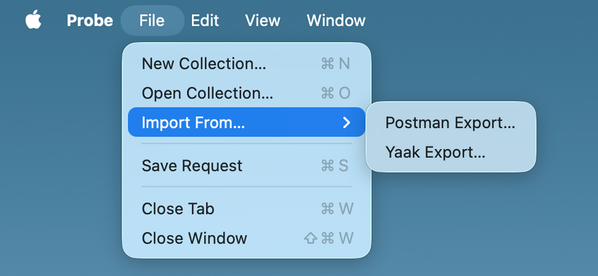
Import your Postman or Yaak exports into Probe and keep working with your existing requests.
Using another client? Tell us which importer you need and we’ll consider it next.
Request another importerResponse inspection
Don't just read the response. Inspect it.
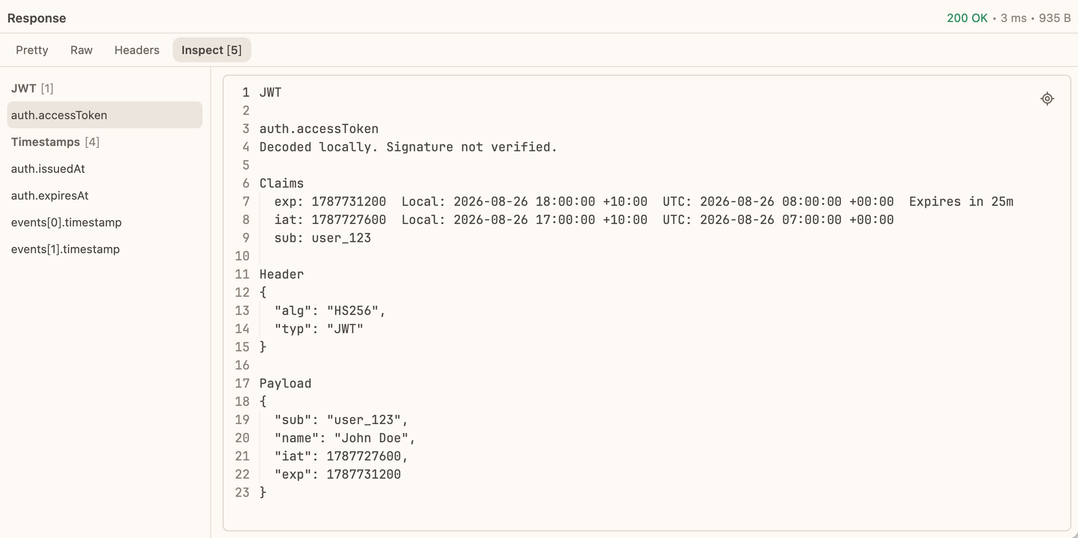
Probe automatically detects JWTs and timestamps in API responses. Decode JWT headers and payloads, convert Unix timestamps in seconds or milliseconds, and trace every value back to its source path.
Roadmap
What’s next for Probe?
Have an idea or suggestion? We'd love to hear it.
- 01HTTP requestsAvailable now
- 02WebSocket supportAvailable now
- 03GraphQL supportAvailable now
- 04Secret storageAvailable now
- 05Collection, folder, and request docsAvailable now
- 06mTLS supportAvailable now
- 07AssertionsAvailable now
- 08Import from cURLAvailable now
- 09Collection runnerComing soon
- 10gRPC streaming supportPlanned
- 11Custom theme supportPlanned
- 12Git integrationPlanned
- 13Body variantsPlanned
- ···And moreExploring

Desktop + CLI
Ready to try Probe?
Work with your APIs in the desktop app, from the terminal, or both.